WebGL image distortion hover
 Demo
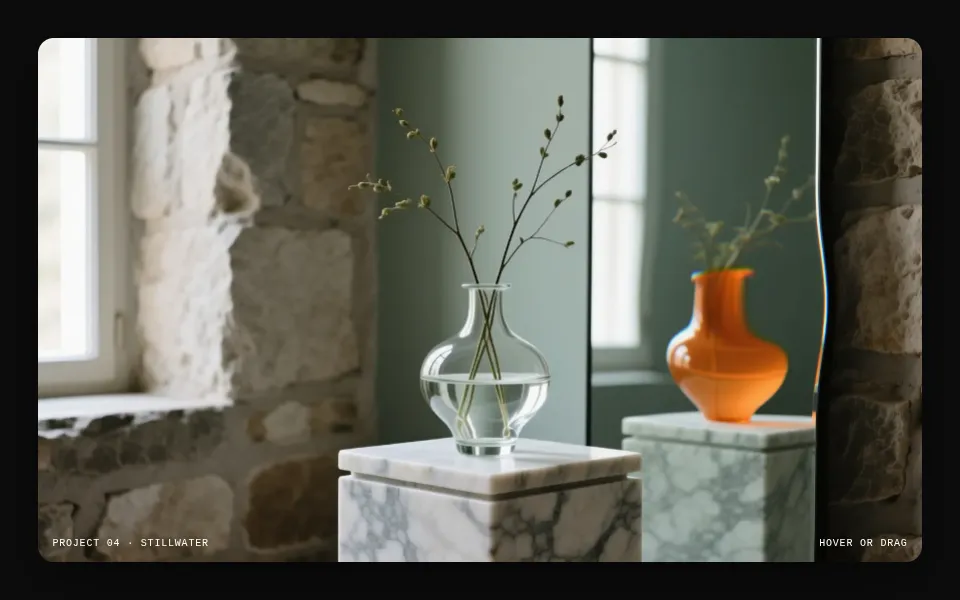
Demo A picture that bends around the pointer, like a lens or a ripple, and splits its colour as it moves.
How it works+
Hover · WebGL· 2 sites
How it works
A picture that bends around the pointer, like a lens or a ripple, and splits its colour as it moves.In 5 steps.
Several studio sites in the library run their media through a WebGL pass instead of showing it as a plain image: a displacement over the hero video, a dissolve into blobs as you scroll. The hover version is the most reusable: the image is a texture on a full-size quad, and a fragment shader moves each pixel's lookup around the pointer. Three lines of maths give a lens bulge, a ripple or a smear; offsetting the red and blue lookups by the pointer's speed adds the colour split.
- 01
The image becomes a texture
One WebGL canvas the size of the card, one triangle covering it, and the picture uploaded once. The shader fits it like object-fit: cover.
- 02
Ease the pointer
Track the raw pointer, and every frame move an eased copy a share of the way towards it (1 - exp(-10 dt)). The eased copy's change per second is the velocity. A separate hover amount eases from 0 to 1 on enter and back on leave, so the effect swells and settles instead of switching.
- 03
Bend the lookup, not the pixels
For each pixel, measure its distance to the eased pointer (corrected for aspect, so the area is round), turn it into a falloff with smoothstep(radius, 0, distance), and offset where the texture is read: towards the pointer for a lens, along a sine of the distance for a ripple, against the velocity for a smear.
- 04
Split the colours with speed
Read red a little ahead and blue a little behind, by the velocity times the falloff. Standing still, the image is clean; moving fast, its edges fringe.
- 05
Sleep when idle
Once the hover amount and the velocity are near zero, stop drawing until the pointer returns.
Code+
The code
The engine is the file the demo above runs, framework-agnostic; the Svelte and React tabs wire it into a component.
Pro
Copy the engine, React or Svelte version.
Unlock code with Pro US$60/year or US$8/month. Cancel anytime.
Prompt+
- Build it with a coding agentA WebGL hover distortion for image cards, as a brief for any coding agent.
- Background imageA photograph with clear lines and texture, so the bend reads.
Pro opens every prompt, with the measured values filled in and ready to paste into your coding agent.
Unlock prompts with Pro US$60/year or US$8/month. Cancel anytime.
Performance & accessibility+
Performance
A single fragment shader with three texture reads per pixel: cheap even at device pixel ratio 2 (capped there). The real costs are elsewhere: one WebGL context per image (browsers allow about 16, so share one canvas across a grid, or create the context on hover and release it on leave), and texture upload (decode with createImageBitmap off the main thread, and size images to the card). The loop sleeps when the effect has settled.
Reduced motion
Under prefers-reduced-motion, skip WebGL and show the image itself: no bending, no colour split. Keep the real <img> with its alt in the page in every mode; the canvas is decoration and is hidden from assistive technology.
Source+
Source, credited
The linked sites run displacement and dissolve passes over their media in WebGL (the library notes name a video-displacement canvas and a blob dissolve). The hover engine here is an independent implementation of the common pattern.
Seen in the library
Sites using this effect.